Snyk Fetch the Flag 2026 CTF Writeup
Date Published: 2026-02-16
This is a writeup for the Snyk Fetch The Flag 2026 CTF. I competed in this CTF with a team of two other Defcon 509 members. This is my first CTF in a team, and it was really fun! I enjoy talking through things with my team and solving things together. I found this to be much better than spinning my wheels as an individual (though that can be fun still).
Forensics - Void Step
The forensics category had a single challenge, Void Step, with 10 flags. Unlike other categories where you have to break something to gain a flag, this one provided you a pcap file. Each flag was an answer to a question.
This was a really large pcap file (721148 entries), so it required a lot of filtering and searching around to find the answers.
Something interesting to note, was that the flag format gave you a hint to the answer. For instance, the open ports flag format was "x" implying that it was a single digit number. After getting a few flags, we realized that the format always matched, so this helped narrow down some answers.
I still haven't gotten in a good habit of documenting CTFs while I go (though I'm going to put in a real effort to do that on the next one), so this writeup is from my memory. The flags are just in the order from the CTF, not the order we found them in.
Flag 1
How many decoy hosts are randomized in this reconnaissance evasion technique?
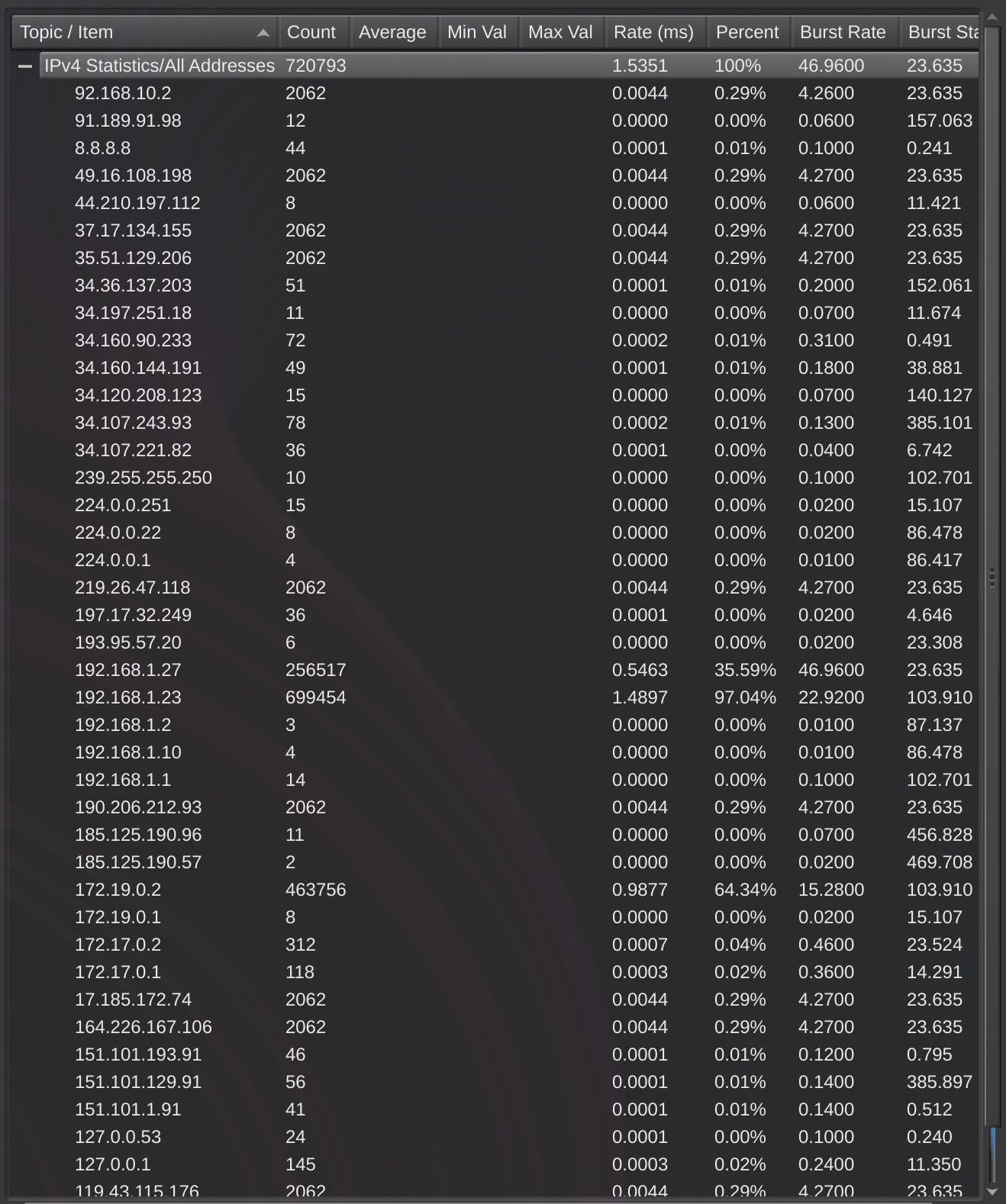
This one took us a while to sort out and it was one of our last flags. We used "Statistics > IPv4 Statistics > All Addresses" to get a list of IP addresses. We then went through that and pulled out the public IPs, of which there were 10. 10 was not the answer, so we were stuck for a while.
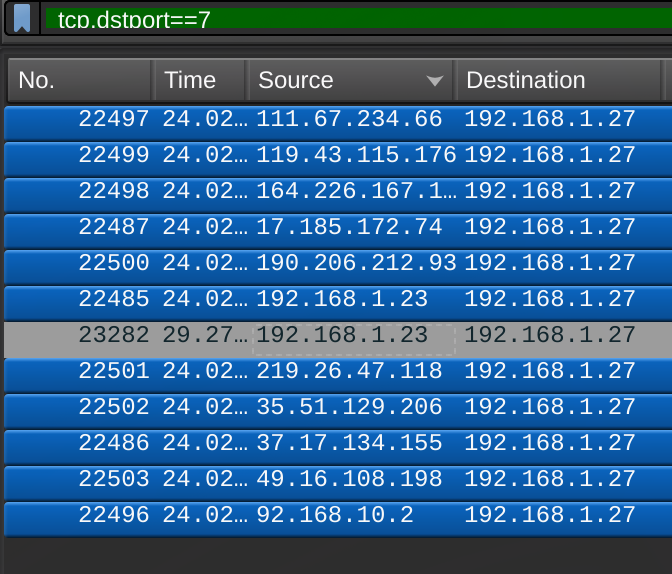
While looking into detecting network attacks in wireshark, I added the filter "tcp.dstport == 7" for detecting TCP ping sweeps that I found here. This gave me a list of 12 IP addresses, however 192.168.1.23 was listed twice. I decided that maybe we needed to add the 192.168.1.27 to the count, which gave us 11. This was the correct flag.
Flag 2
What is the real attacker IP address?
This one seemed to be a local IP since the format was "xxx.xxx.x.xx", but as a team we went back and forth on whether this was local or if they wanted the external IP. In the end we couldn't find any way to determine an external IP that matched this format, so we decided to try the local IP. Majority of the requests were from local IP 192.168.1.27, so we tried that and it was correct.
Flag 3
How many open ports did the attacker find?
I will be honest here, the flag format was simply "x" so I knew this had to be a one digit number. I tried 1-4 and the flag was 4. Probably I should have tried to find a way to determine the actual ports, but this is how I got it.
Flag 4
What web enumeration tool did the attacker use?
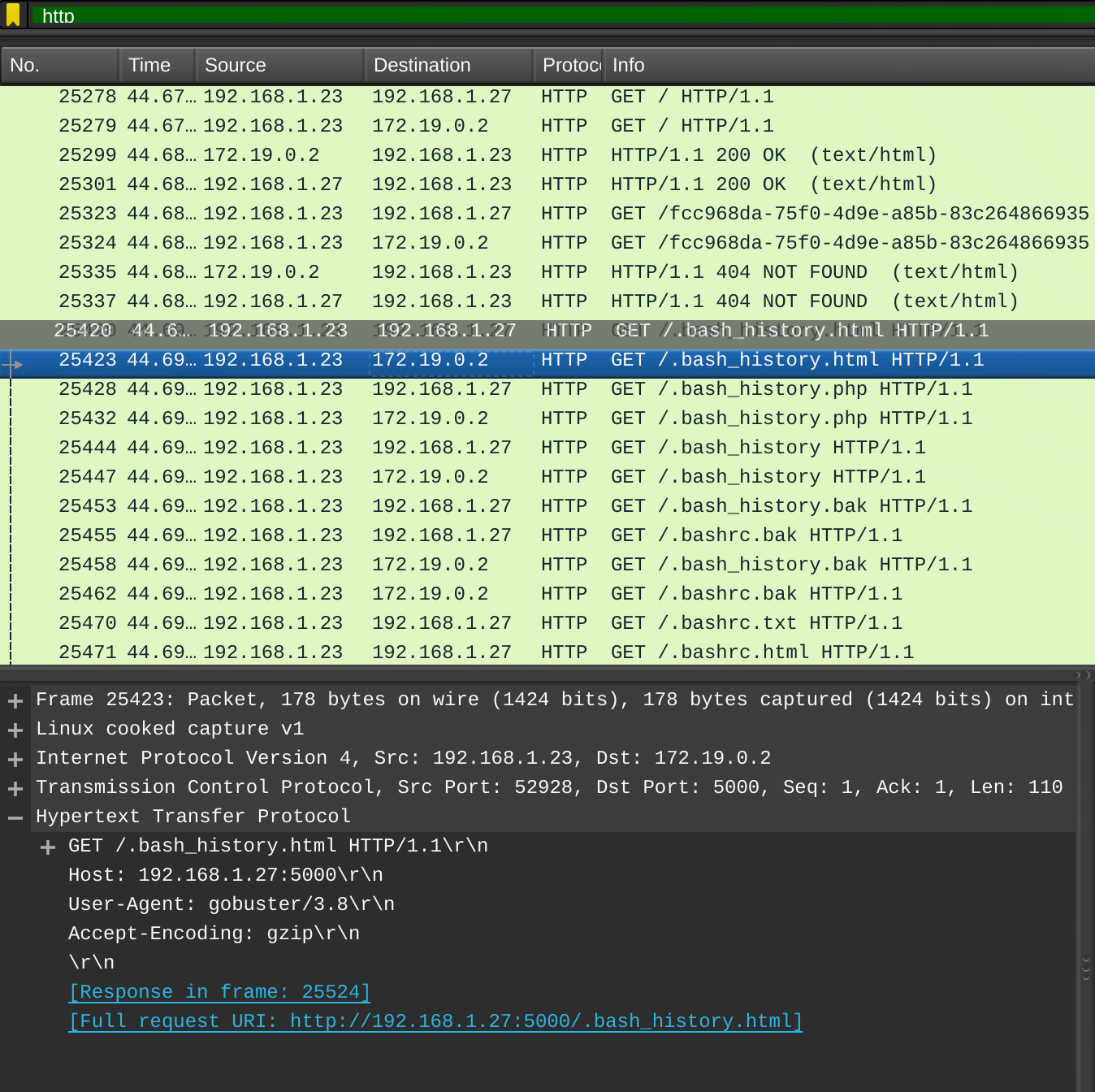
After filtering the list down using "http", we noticed there were a bunch of requests with clear enumeration trying to find files (.bash_history, .bashrc.bak, etc). When clicking on one of those and viewing the HTTP info, the User-Agent is set to gobuster/3.8, which is an enumeration tool and the answer for this flag.
Flag 5
What is the first endpoint discovered by the attacker?
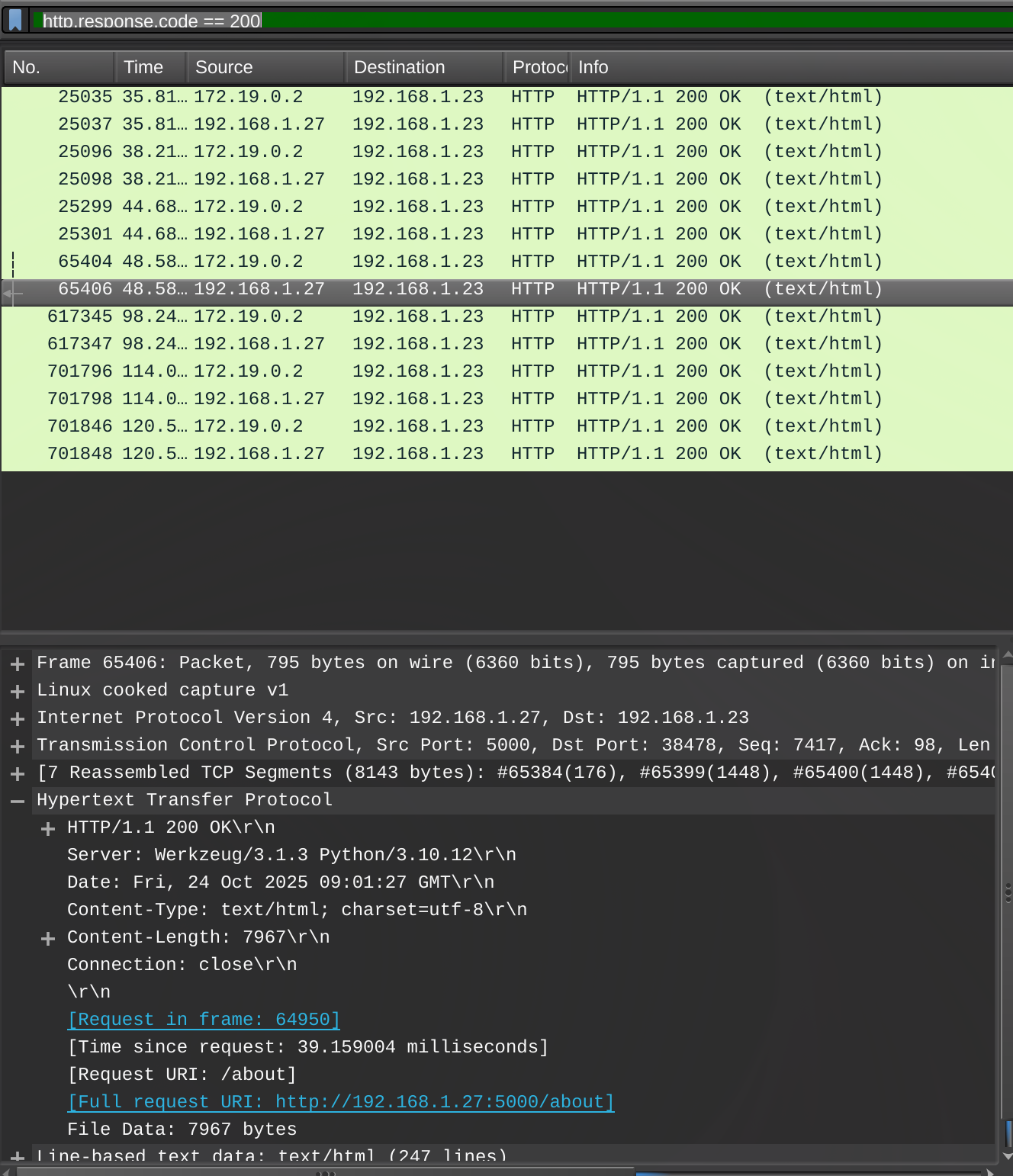
We found this one by filtering on status code 200 using "http.response.code == 200". Scrolling through the short results list, the first endpoint that wasn't just "/" was "/about" which was the flag.
Flag 6
What was the first extension tested during the enumeration
Filtering by "http" showed all the gobuster requests. The first one with an extension was ".bash_history.html", so the answer was "html".
Flag 7
What is the full vulnerable request parameter used in the attack?
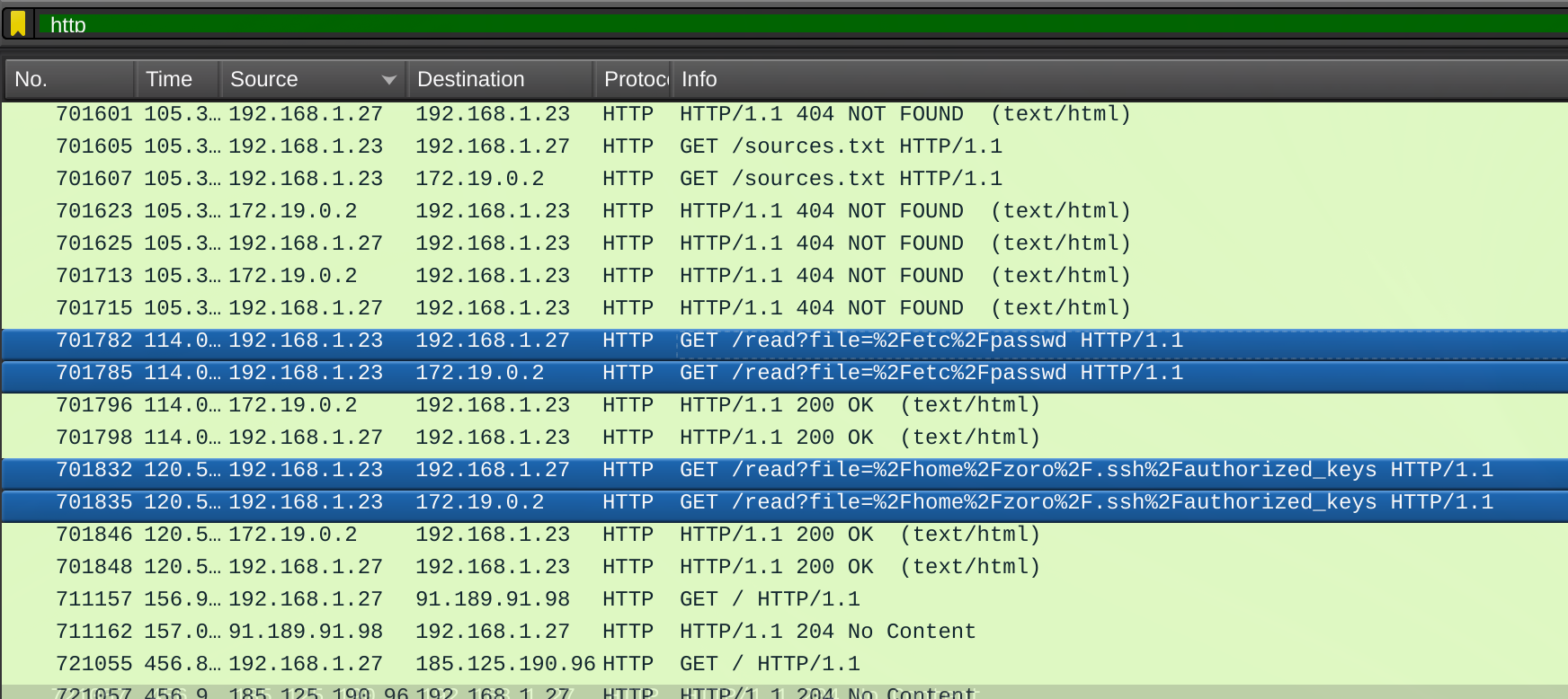
Scrolling down in the "http" filtered list, we found requests to /read using the "?file=" parameter. It appears the attacker realized there was a local file inclusion vulnerability with this paramter, and they were trying to make some requests to get files. The name of this parameter "file" was the answer.
Flag 8
What is the username discovered by the attacker?
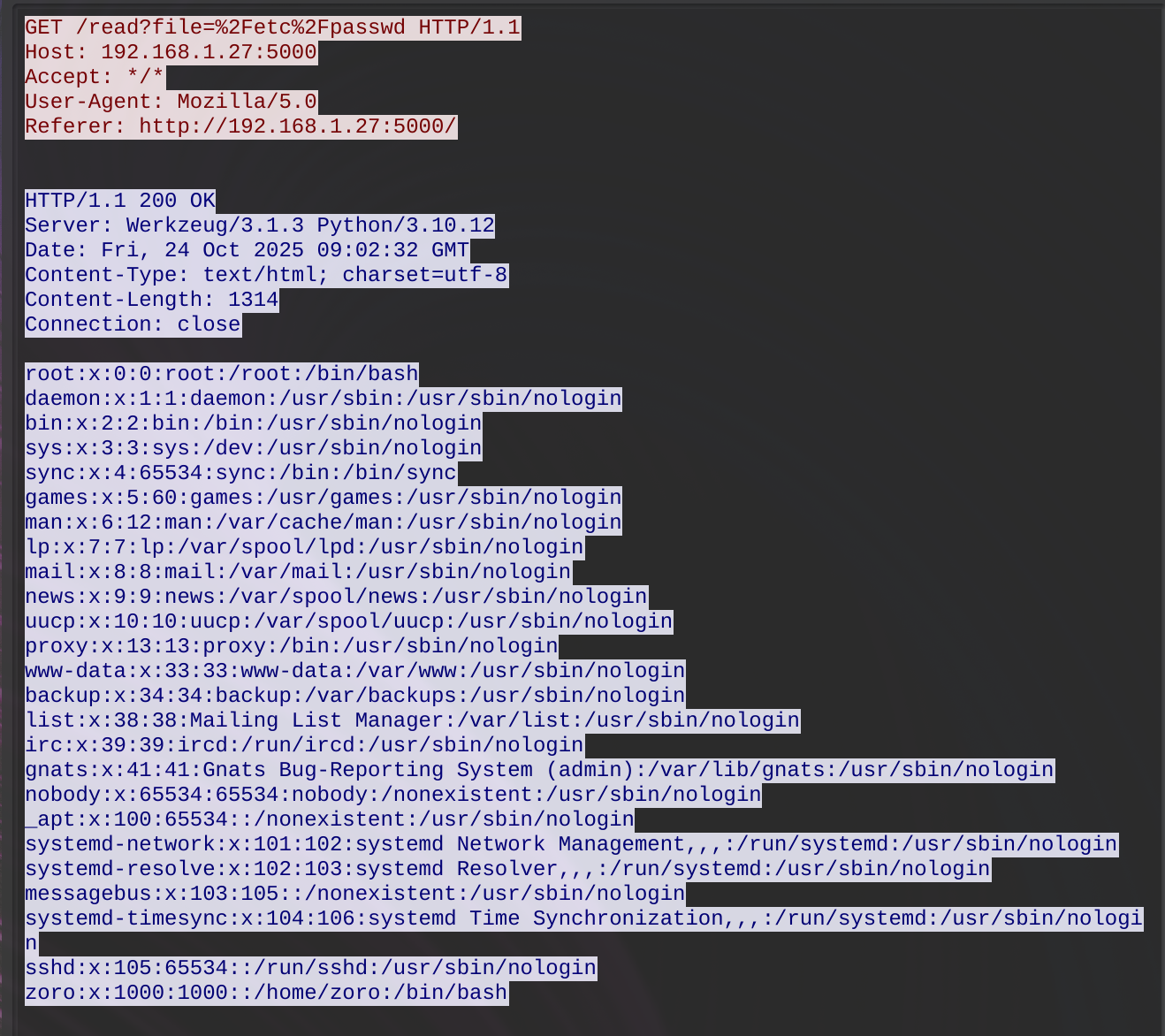
With the discovered /read requests, right clicking on the /etc/passwd attempt showed the response, which successfully returned the contents of that file, including the username zoro.
Flag 9
What authentication-related file did the attacker attempt to access?
The other file the attacker attempted to request (unsuccessfully) using /read was /home/zoro/.ssh/authorized_keys. This was the answer for this flag.
Flag 10
What time (HH:MM:SS,MS) did the attacker start brute forcing for SSH?
This one seemed to be tripping people up, as it had less solves and the points hadn't degraded down to 100 yet. We managed to get this one before the rewrote the question to make it easier. Previously it just said "brute forcing the password" or something like that, as opposed to "brute forcing SSH".
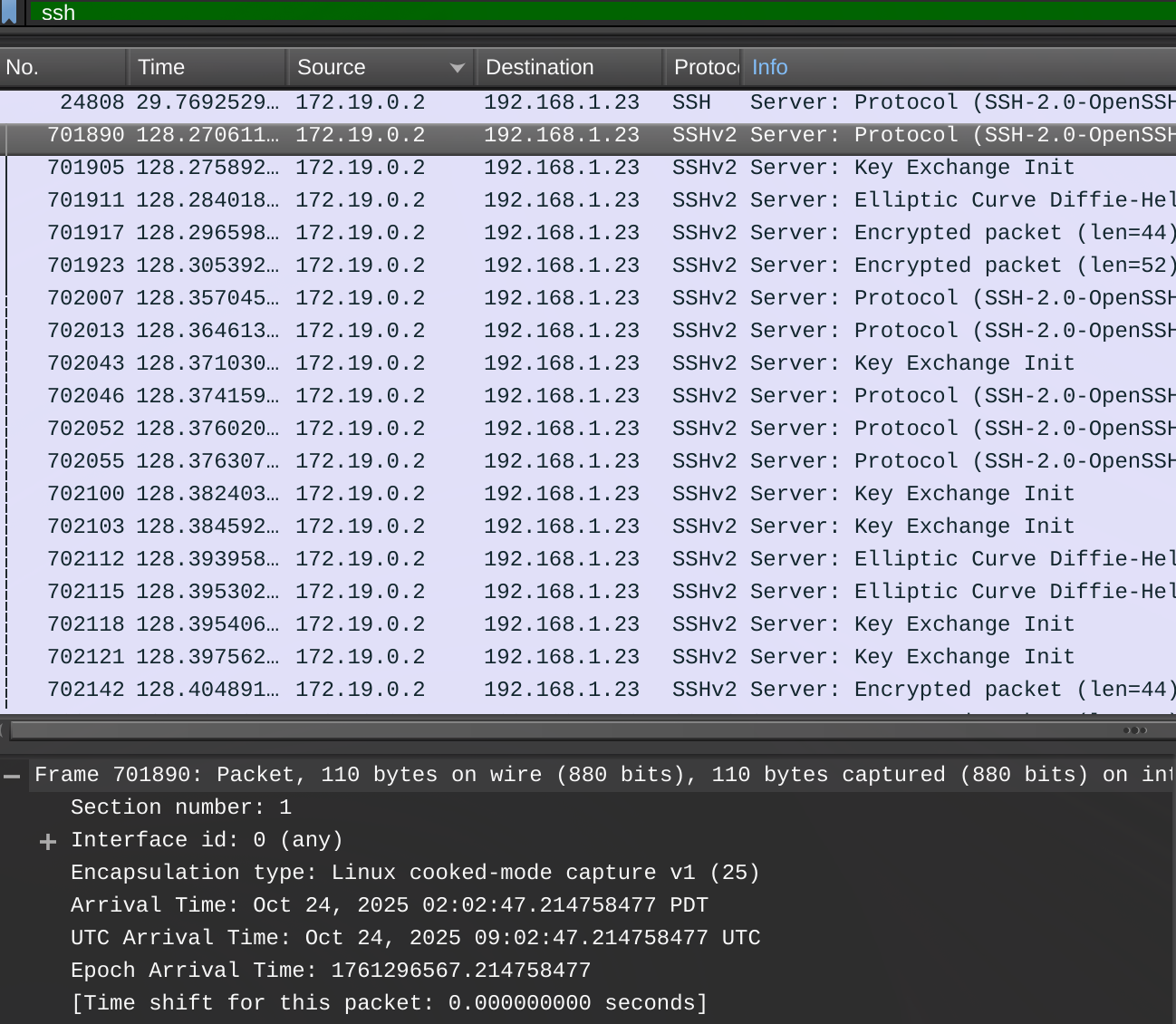
To find this, we filtered the list based on SSH, assuming the attacker would be trying to brute force a password via SSH using the zoro user they found. Looking at the first of many SSHv2 requests, we first tried the Arrival Time, which was wrong. We then tried the UTC Arrival Time and that one was correct. The correct timestamp was 2025-10-24T09:02:47.214758477Z, so the flag was 09:02:47,21.
Other challenges
We made attempts to get flags on the AI and Web sections, but didn't manage to get any flags. We could usually figure out what we were supposed to do to get a flag, but struggled to make that happen. It was still giving it a go, however and the forensics section was really fun!